XWiki Two-Factor Authentication

Last modified by Agnease on 2026/06/24 16:39

XWiki 2FA with MFA rollout support

XWiki Two-Factor Authentication

Protect XWiki logins with authenticator app verification, recovery codes, trusted devices and administration controls for a safer rollout.

Two-factor authentication built into XWiki

XWiki Two-Factor Authentication adds an additional verification step to the standard XWiki login flow. Users continue to sign in with their normal username and password, then confirm access with a time-based code from an authenticator application.

The application has evolved beyond a simple login-code screen. It supports global enforcement, recovery codes, trusted devices, user self-service, administrator reset actions and an overview for monitoring adoption.

Main capabilities

A focused set of authentication protection features for stronger XWiki account security without replacing the familiar login experience.

Second verification step

Add an additional verification screen after the normal XWiki username and password login.

Authenticator app codes

Let users verify access with time-based TOTP codes generated by authenticator applications.

Recovery and trusted devices

Provide backup access with recovery codes and reduce repeated prompts on trusted browsers.

Useful for XWiki security and access protection

Many organizations use XWiki to store internal documentation, procedures, operational knowledge and business-critical information. Adding an additional authentication factor helps reduce the risk of account compromise when a password is exposed or reused.

The extension is especially useful for protecting administrator accounts, remote users, private knowledge bases and customer or partner portals.

Administrator configuration and monitoring

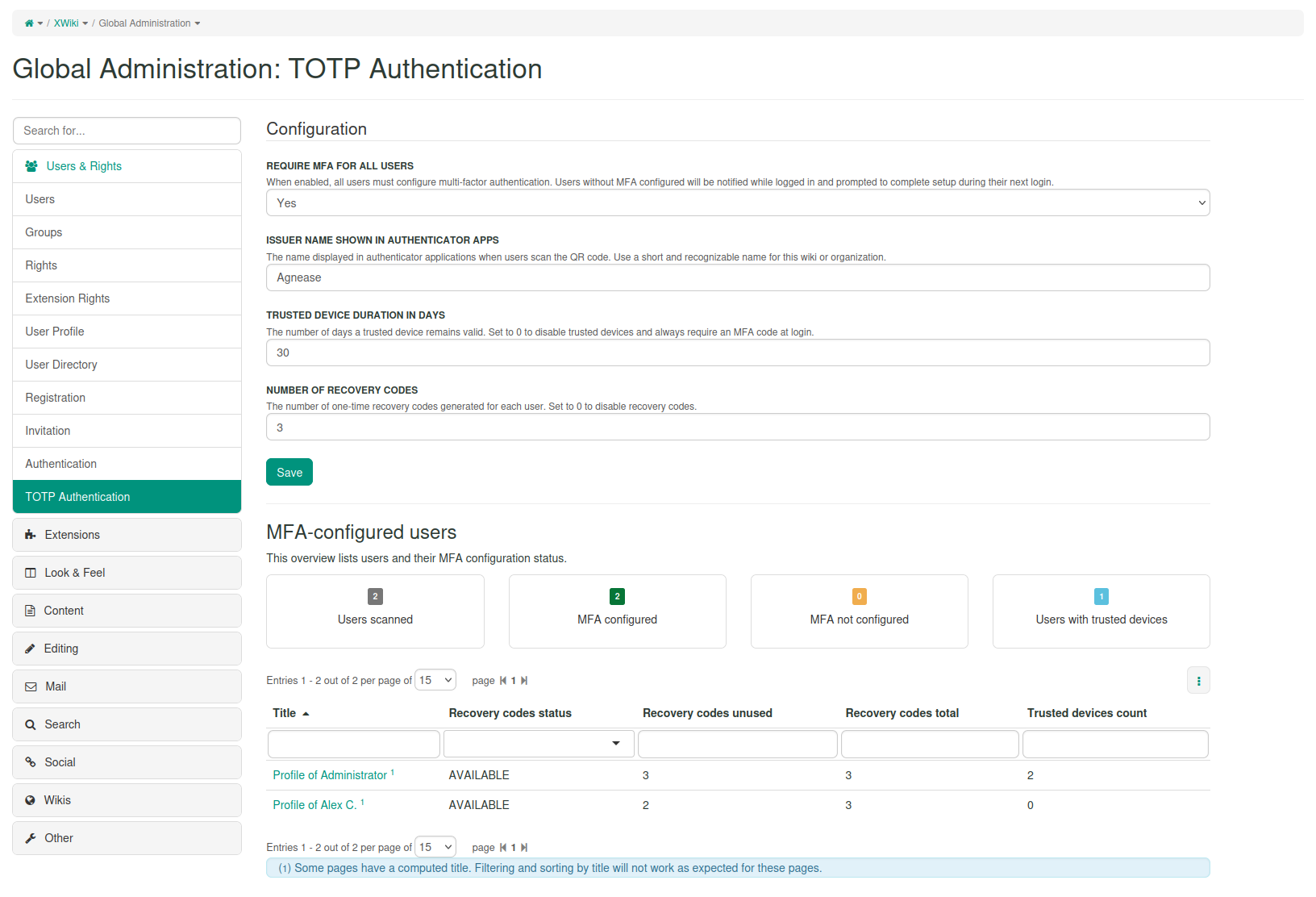
Administrators can configure the policy, define recovery options and monitor adoption from the XWiki Administration section.

Rollout policy

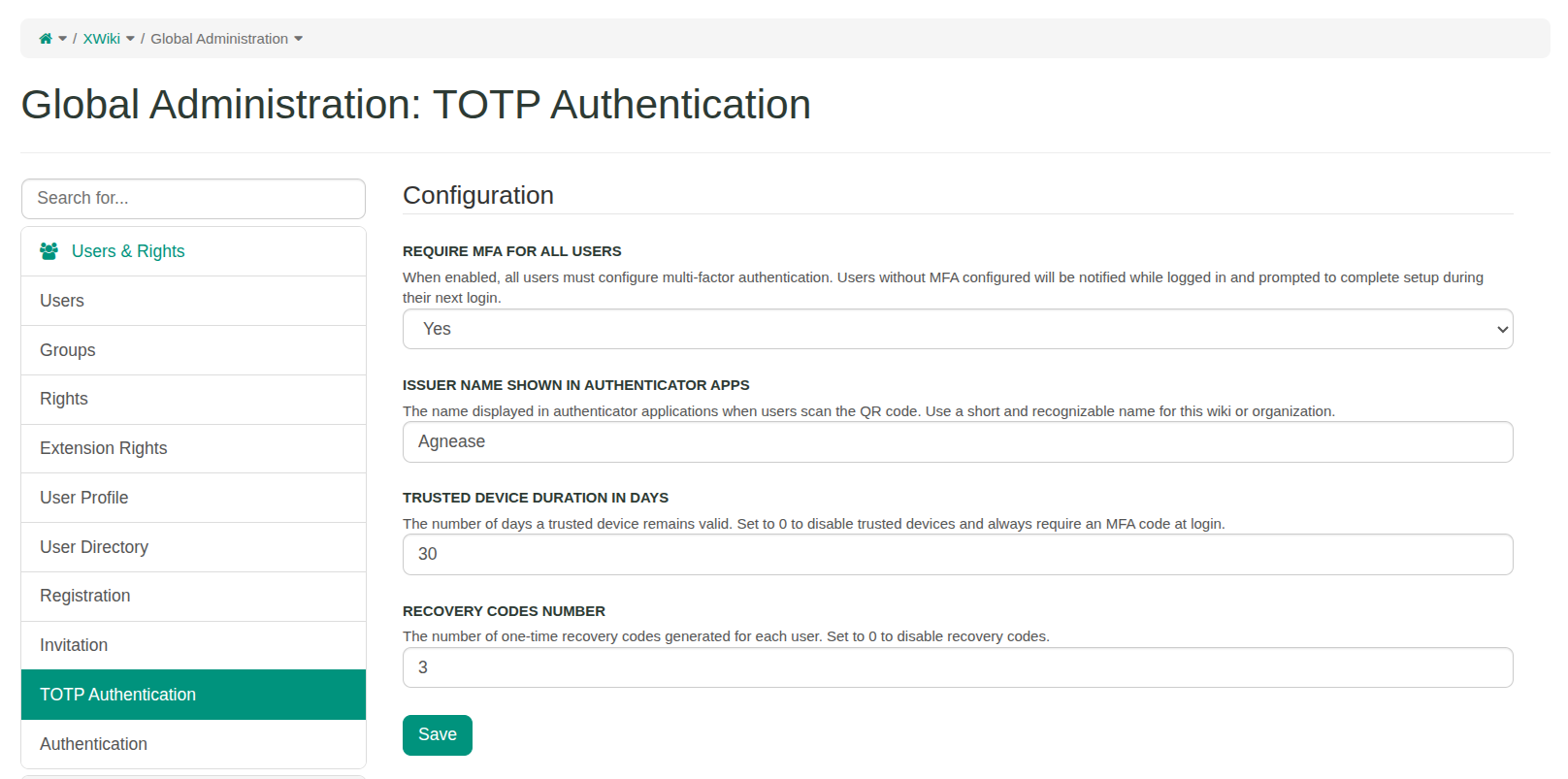
Make additional verification optional at first or required for all users from the XWiki Administration section.

Configuration options

Set the authenticator issuer name, recovery-code count and trusted-device duration.

Administration overview

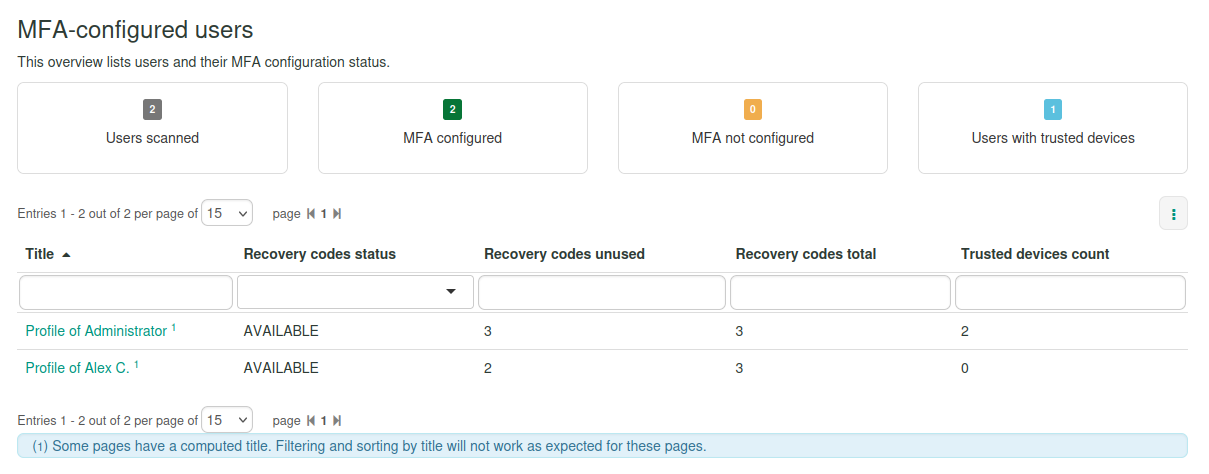
Review adoption with summary indicators and a filterable Live Data table.

User setup and login verification

Users can configure the authenticator app from their profile or during the enforced setup flow, then verify future logins with a generated code.

Self-service setup

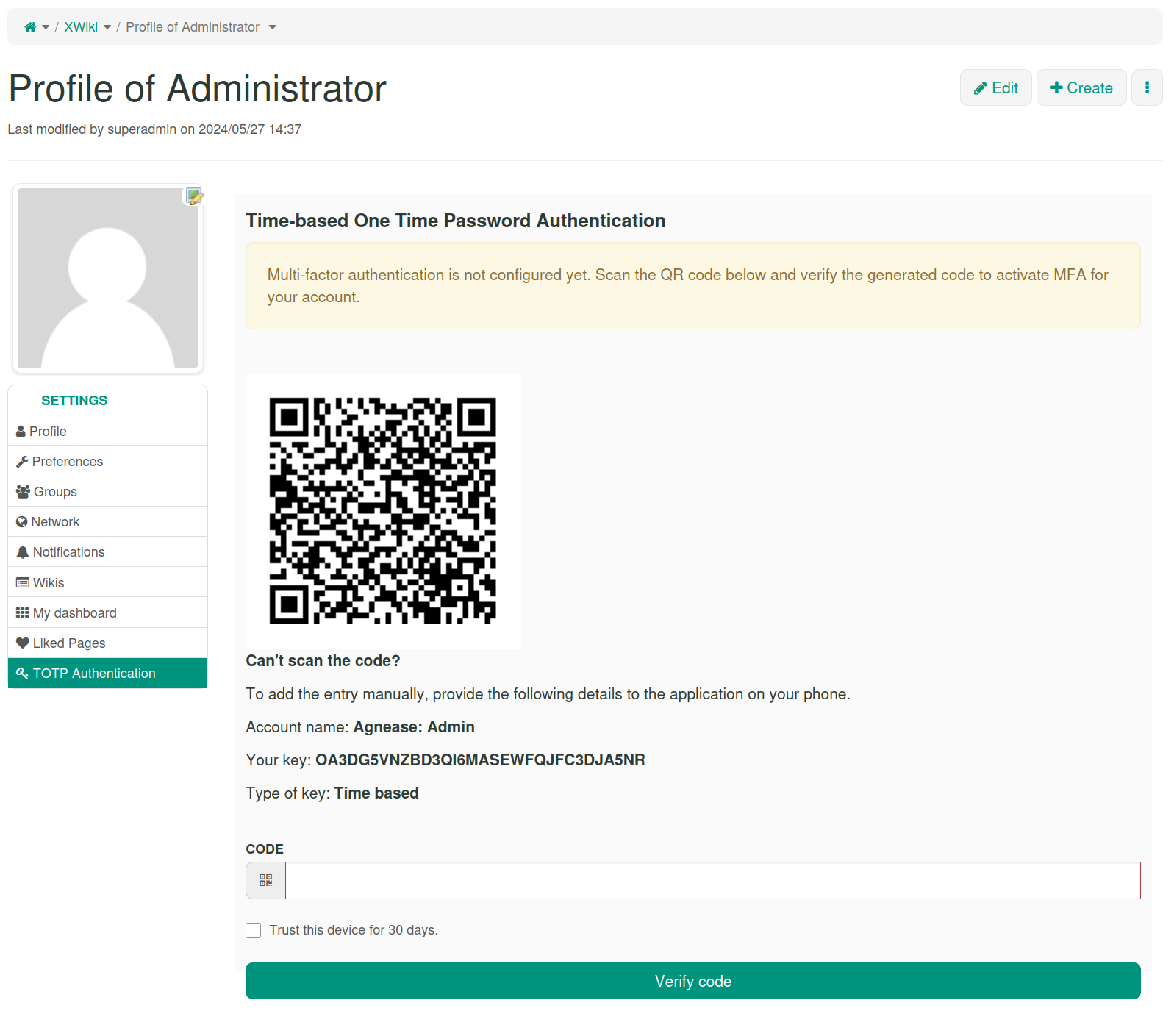
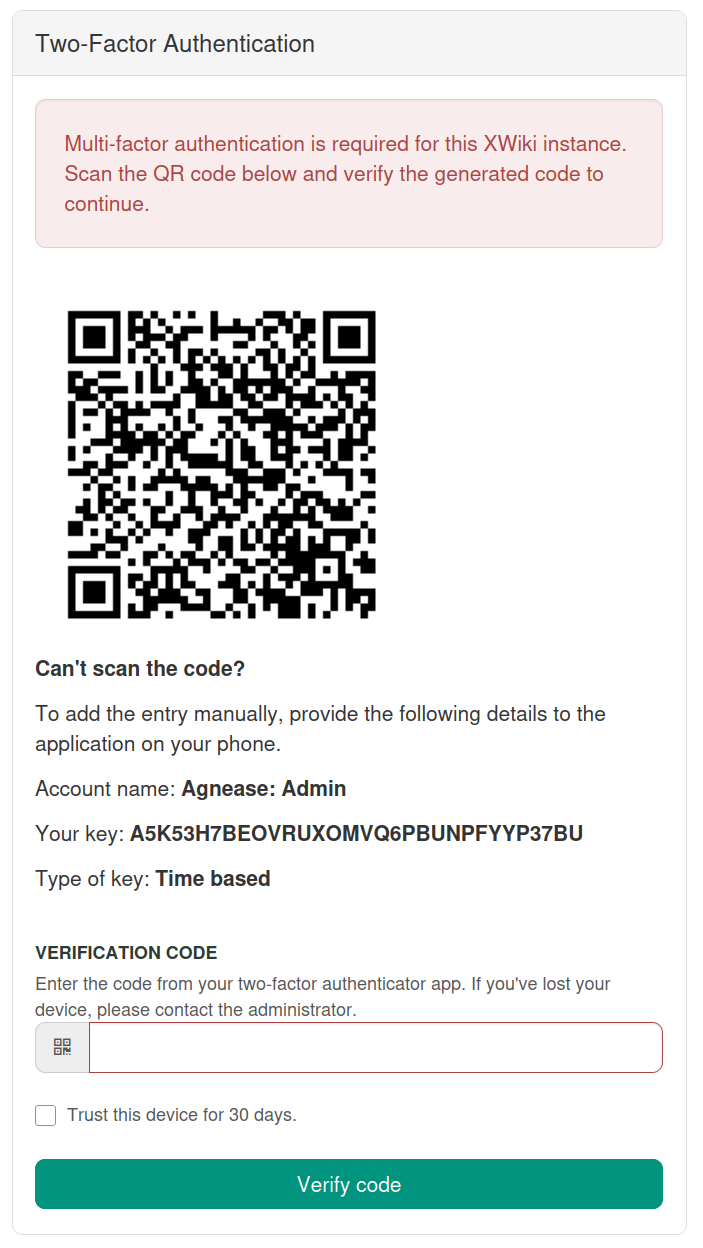
Users configure the second verification step from their profile by scanning a QR code or entering the setup key manually.

Login verification

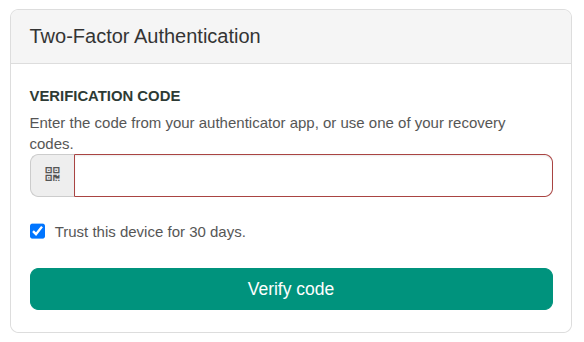
After the normal login, users enter the verification code generated by their authenticator app.

Trusted browser option

Users can trust the current browser for the configured duration after successful verification.

Recovery codes and trusted devices

Recovery codes and trusted devices help balance stronger access protection with a smoother user experience.

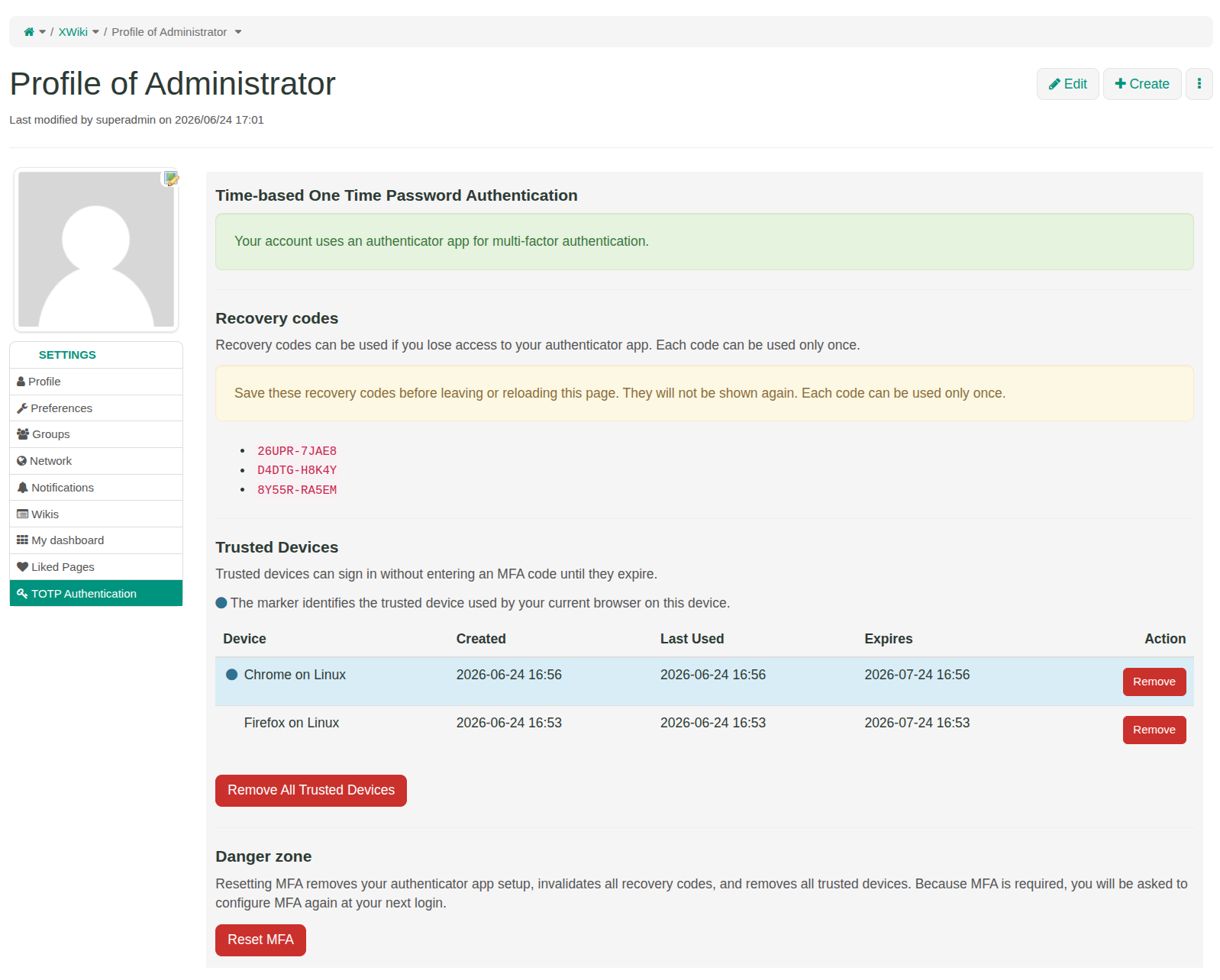
Recovery codes

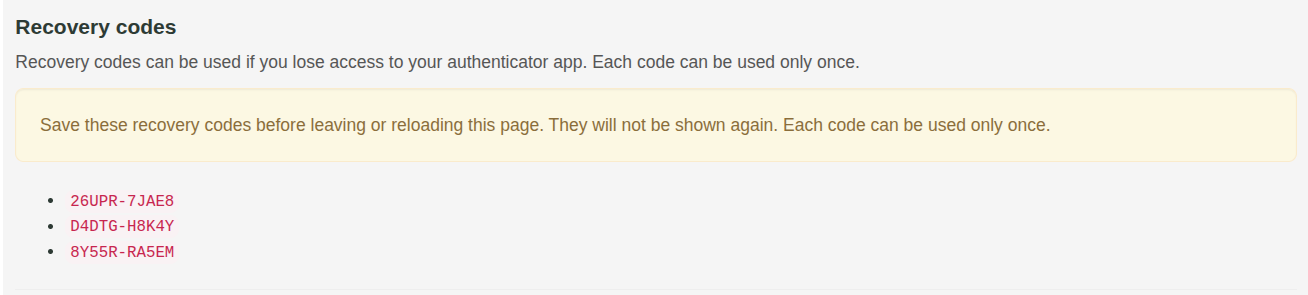
Recovery codes provide backup access when a user loses access to the authenticator application.

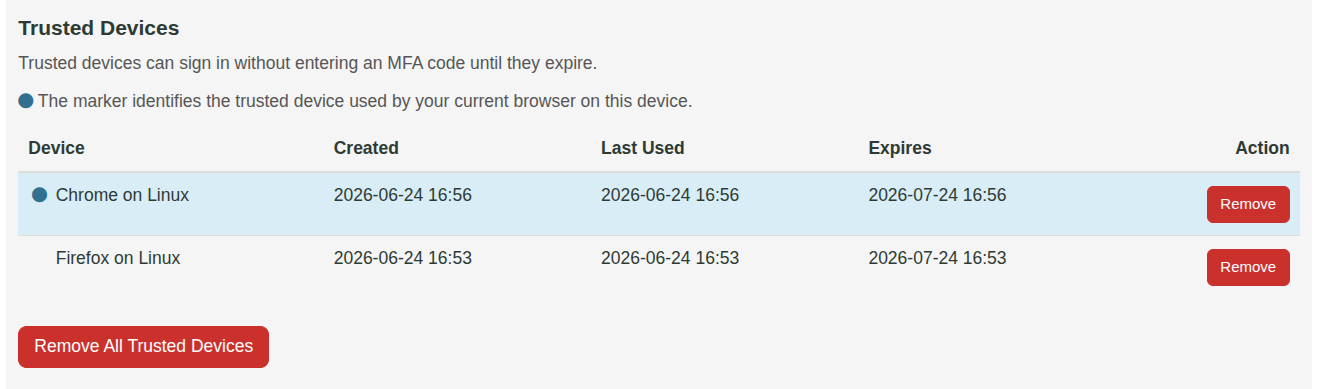
Trusted devices

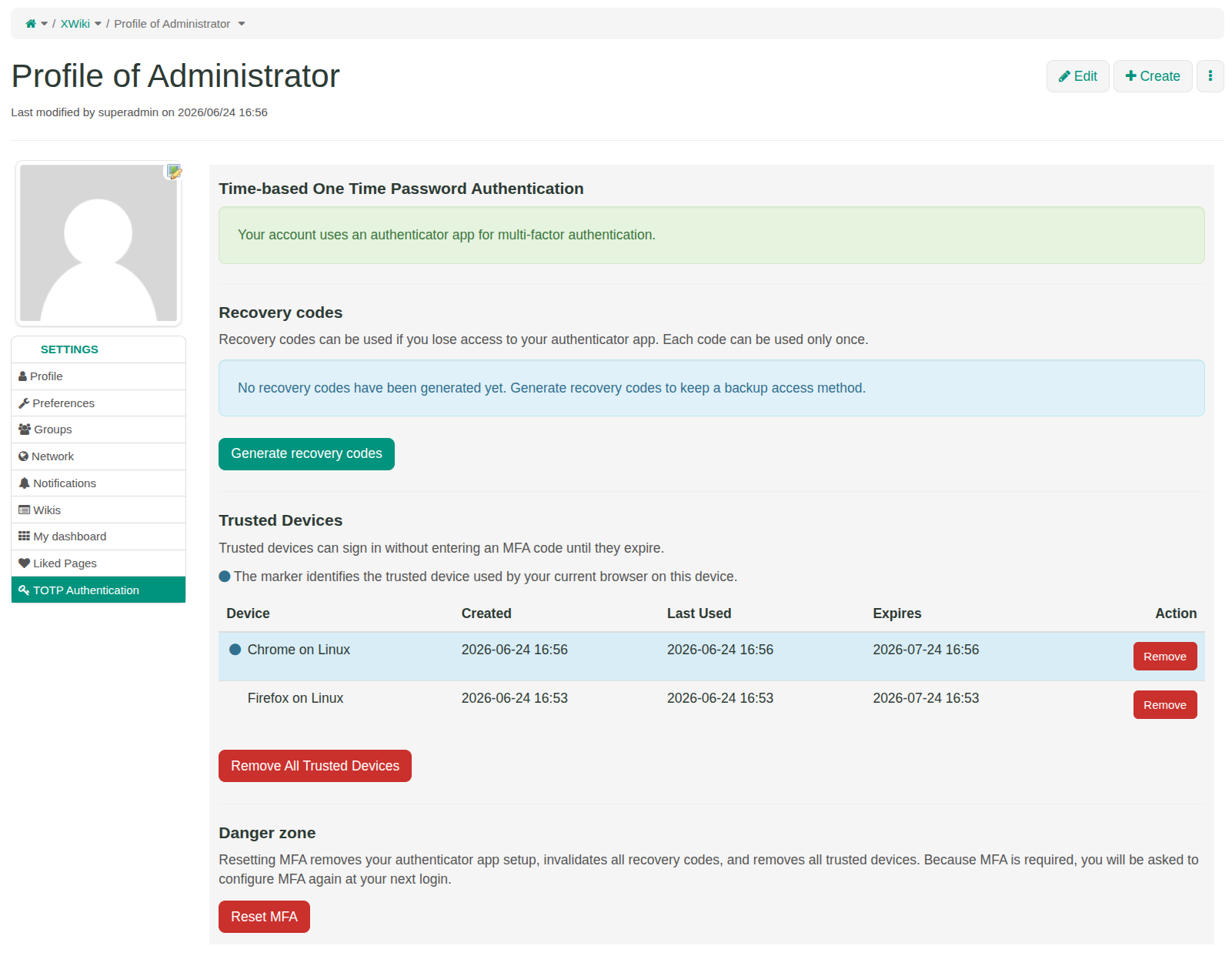
Trusted devices can be reviewed and removed from the user profile.

Profile management

Users can review status, generate recovery codes, manage trusted devices and reset their setup.

Administrator support and user recovery

Administrators can help users recover from lost devices or restart setup when needed.

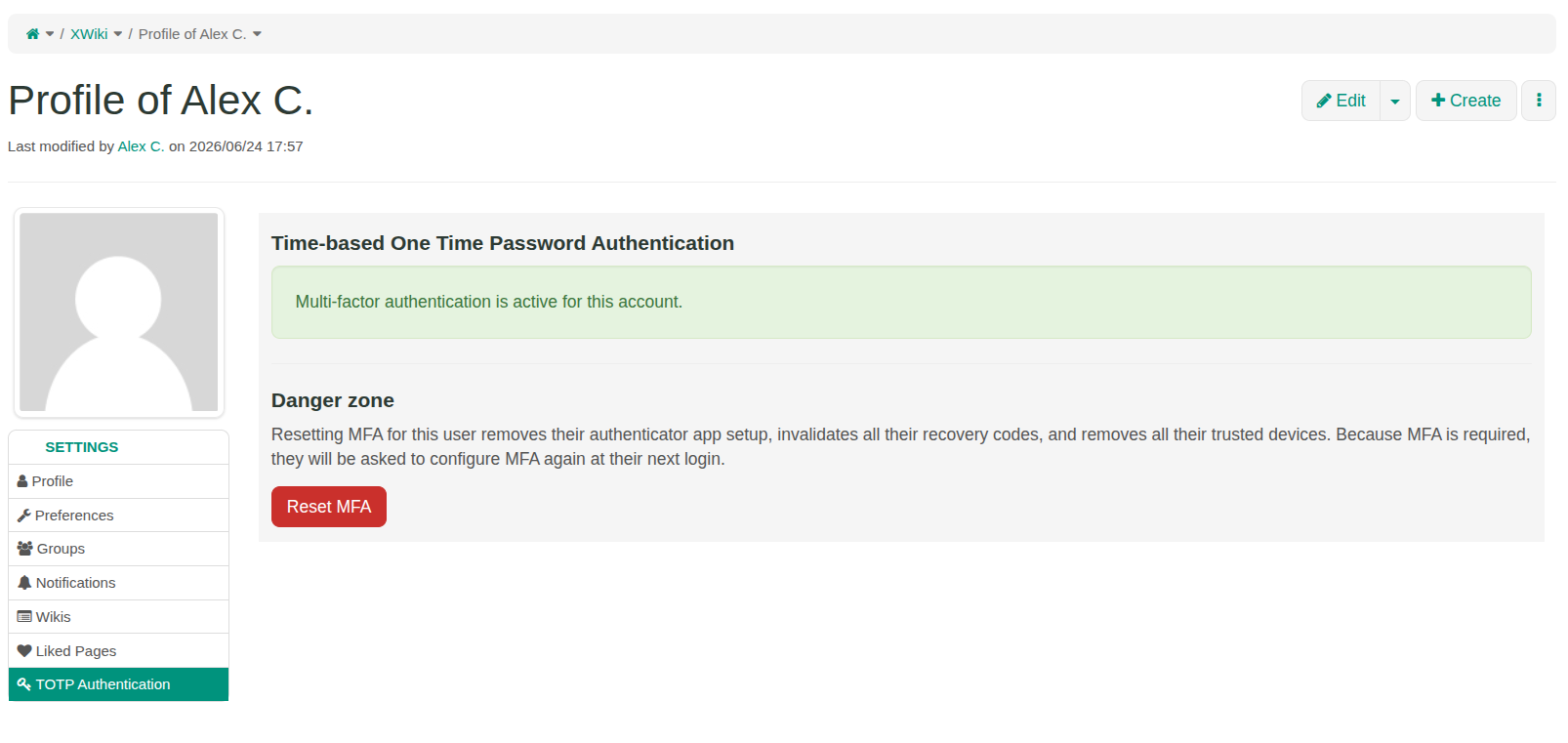
User status

Administrators can open a user profile and check the verification status for that account.

Setup reset

Administrators can reset the setup when a user needs to restart the configuration process.

Controlled recovery

Resetting the setup removes the authenticator configuration, recovery codes and trusted devices for that user.

Frequently asked questions

Common questions about how the extension works, how users configure it and how administrators can manage rollout and recovery.

Does this extension replace the standard XWiki login?

No. Users still sign in with their normal XWiki username and password. The extension adds an additional verification step after the standard login check.

Which verification method is used?

Users verify access with time-based codes generated by an authenticator application. The setup page provides a QR code and a manual setup key.

Can the second verification step be required for all users?

Yes. Administrators can make the verification step optional or required for all users from the XWiki Administration section.

What happens if a user loses access to the authenticator app?

Recovery codes can provide backup access when enabled. Administrators can also reset the user setup so the configuration process can be restarted.

Can trusted browsers or devices be disabled?

Yes. Administrators can configure how long trusted devices remain valid. Setting the trusted-device duration to 0 disables this option.

Is this only a basic 2FA login-code screen?

No. The main login mechanism is two-factor authentication, but the application also includes features needed for a safer organization-wide rollout: enforcement policy, recovery codes, trusted devices, user self-service, administrator monitoring and administrator reset actions.

Is this enough for compliance on its own?

No. This extension provides an important access-protection control, but it should be part of a broader security and compliance approach that includes permissions, upgrades, infrastructure, monitoring and operational procedures.

Rollout recommendations

For a smooth rollout, start with a small administrator or pilot group before requiring the additional verification step for everyone. This helps validate the configuration, prepare user communication and reduce support issues.

  1. Start with a pilot group Test the extension with administrators or a small user group before enabling it widely.
  2. Define the rollout policy Decide whether additional verification should be optional at first or required for all users.
  3. Configure recovery options Choose the number of recovery codes and whether trusted devices should be allowed.
  4. Inform users Explain how users configure the authenticator app, save recovery codes and manage trusted devices.
  5. Monitor adoption Use the administration overview to identify users who still need to configure protection.

Interested in using this extension?

Send a short message with your XWiki version, current authentication setup and rollout goal.

Contact Agnease